How it works
What to order, and why
Stocktimal forecasts demand and turns it, together with stock, open orders and lead times, into a concrete order proposal per SKU: how much, when, from which supplier and why. The proposal can then be adjusted, approved and exported.
From demand forecast to order proposal
Stocktimal combines two steps that sit apart in many systems: it forecasts demand per SKU and turns that forecast into a concrete order proposal — how much, when and from which supplier.
It is in that second step that stock is built up and working capital is tied up. Yet that translation is still often made with fixed assumptions, rules of thumb or spreadsheets. Stocktimal makes the step explicit and takes lead times, current stock and open orders into account as it does.
The ERP stays the source for stock and administration. Stocktimal is the planning layer on top of it.
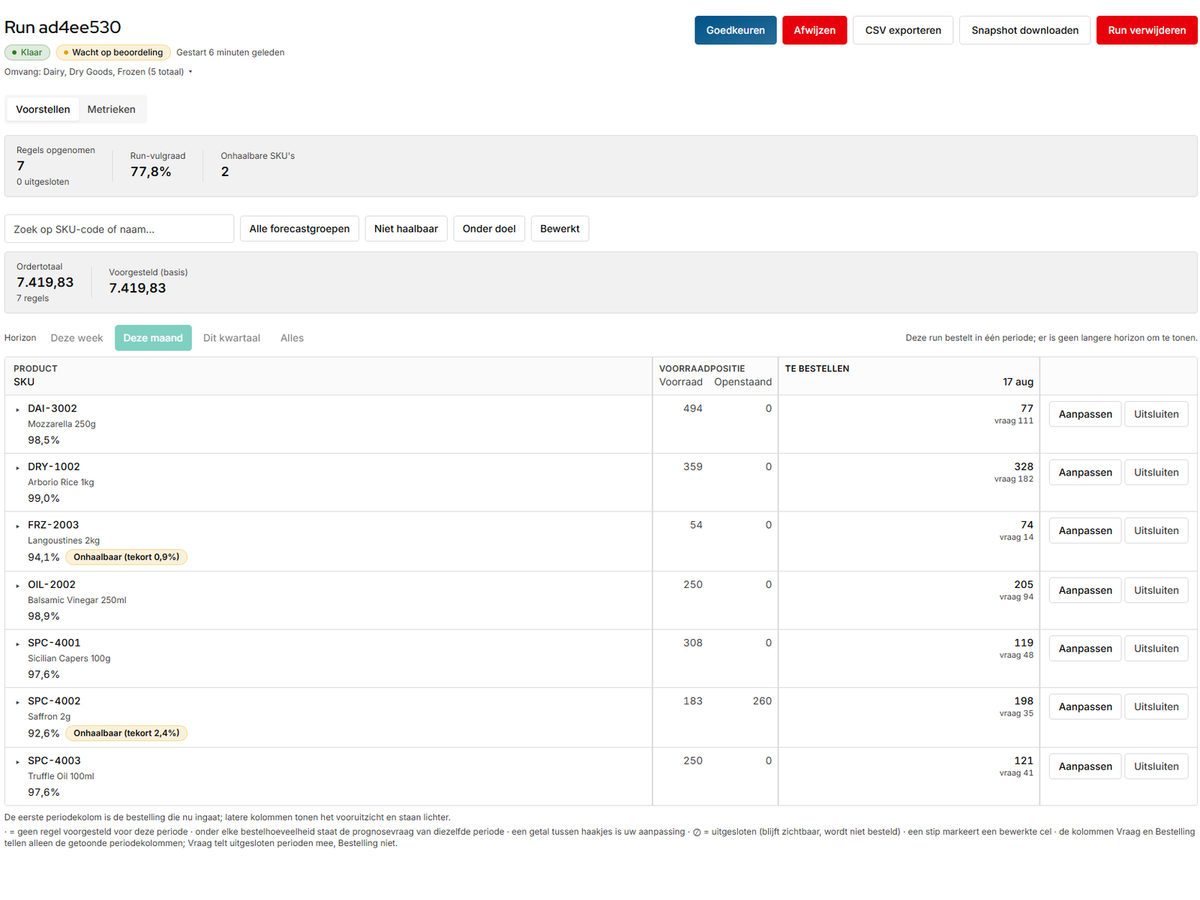
Step one — not just the forecast, but the uncertainty too
Most planning tools forecast a single number and set the safety stock with a rule of thumb. Stocktimal also models, per SKU, the uncertainty around that forecast, based on historical forecast errors.
That difference matters. A forecast of 40 units tells you little unless you also know how likely 30, 50 or 70 are. It is that spread that decides how much buffer you need for the service level you want.
Uncertainty in lead times can be taken into account as well. The models allow for seasons, trends and promotions, and where there is little history they can draw on information from comparable SKUs.
The more accurate the forecast, the smaller the buffer needed at the same service level.
This is why the two halves of the product are one story. A narrower error distribution is not an academic improvement — it is directly less stock at the same service level, because the buffer is sized to that spread.
How the forecast is made
For anyone who wants to know what happens under the bonnet.
The best-fitting model per SKU and horizon
Stocktimal compares statistical, machine-learning, neural and foundation models and picks the one that works best. That choice can be made for the catalogue as a whole, but also per SKU or per forecast horizon.
The uncertainty is measured
Not only the forecast but also the error distribution is estimated from the data. Because demand often contains spikes and irregularities, that distribution is not assumed to be normal.
Little history? Comparable SKUs fill the gap
For SKUs with little data, information from comparable items is used to estimate the uncertainty more robustly. As more of their own history builds up, that history counts for more.
Compared against simple benchmarks
A complex model is only used if it demonstrably forecasts better than simple alternatives, such as a moving average or a seasonal naive forecast.
Sales history is not always the same as demand: if an item was out of stock, actual demand may have been higher. We correct for that where needed. New SKUs with no history of their own start from comparable items and lean increasingly on their own data.
Step two — from forecast to order
A probability distribution is not yet an order. Stocktimal turns the forecast per SKU into an order quantity and an order date, allowing for lead time, time until the next order, current stock and what is already on its way.
The fill rate you want decides how much buffer is needed. Uncertainty in lead times counts too: a supplier that regularly runs late calls for more stock than one that nearly always delivers on time.
Then come the practical constraints: minimum order quantities, pack sizes, order days and price breaks. Holding and ordering costs can also be taken into the optimisation.
The result is a concrete order proposal per SKU and supplier —
The result is a proposed order per SKU per supplier, with a date and the reasoning attached — including which constraint moved the number, when one did.
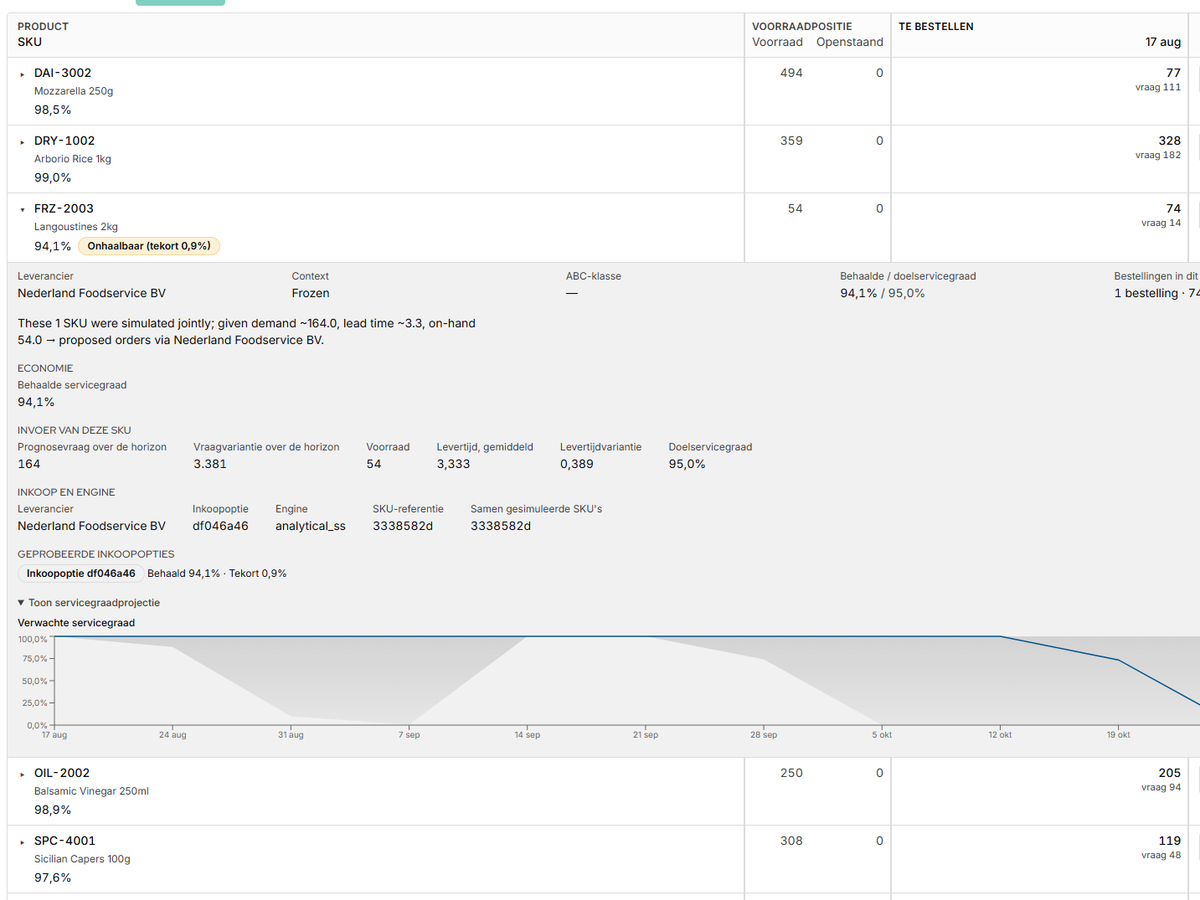
Forecasting better means less buffer
Take one SKU and hold everything else equal: the same service target, the same lead time, the same stock position.
The greater the uncertainty around the forecast, the more buffer is needed. If that uncertainty shrinks, the safety stock can come down without delivery reliability changing.
That is why forecast accuracy and working capital are directly connected. A better forecast does not just mean a smaller error, but also less stock needed to hit the same service level.
An improvement of around 30% in forecast accuracy can in practice be worth a few percent more revenue and considerably less working capital tied up. Exactly how large that effect is varies by catalogue — but it does show why the uncertainty around the forecast matters at least as much as the forecast itself.
The buyer keeps the final word
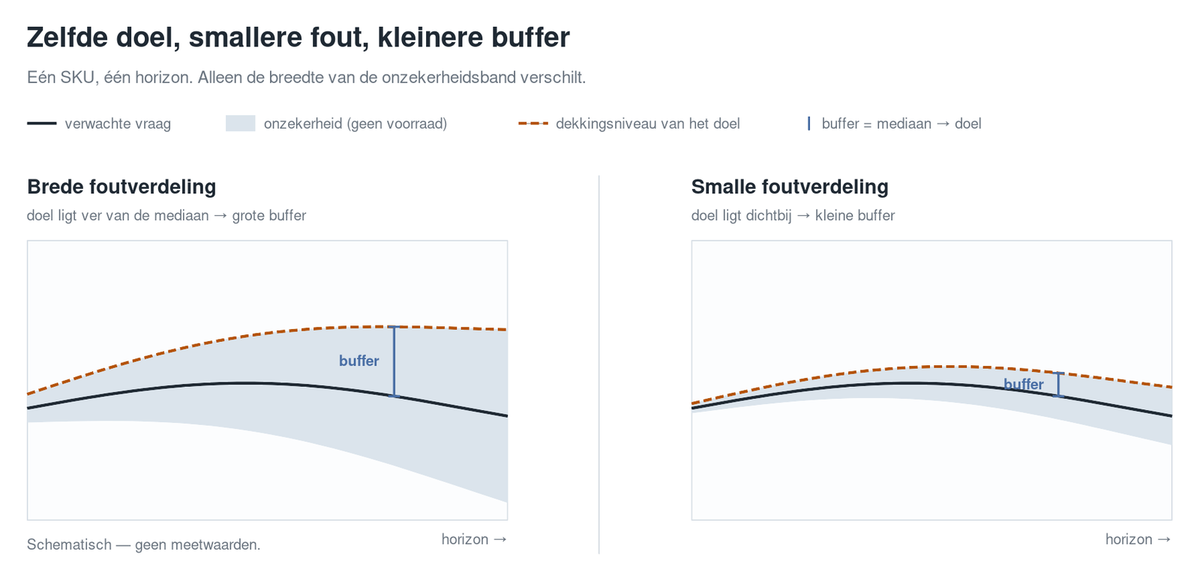
Stocktimal makes a proposal, but does not order automatically. That is deliberate: a buyer may know things the historical data does not, such as a large customer order on its way.
Every run produces a list of proposed order quantities per SKU and supplier, including the reasoning behind them. You adjust, approve or reject each proposal. What you approve exports to CSV for loading into your ERP.
Changes are kept alongside the original proposal. So you can always see later
Does this work with my ERP?
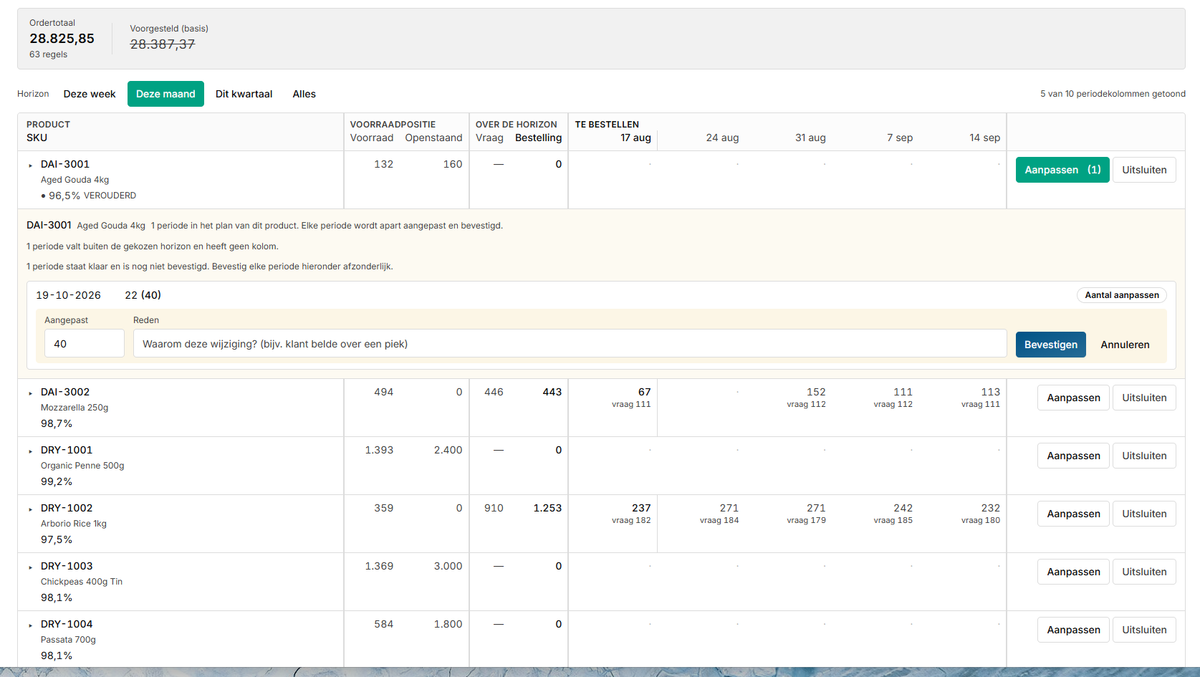
Yes. No integration is needed to start. You export current stock, open orders and sales history; Stocktimal hands back order proposals you load into your ERP once you are happy with them.
That way Stocktimal can be in use within a few weeks, without going through an integration project first. And nothing reaches the ERP unless someone deliberately chooses to put it there.
Every number has to be explainable
“Why is this order 400 units?” is exactly the question a planning tool should be able to answer. So for every proposal Stocktimal shows how the number was arrived at: the forecast, the lead time and any constraints that shaped the ordering advice.
There is also a chat assistant that can answer questions using the data from the run. The assistant cannot change anything or place orders; it only explains what happened.
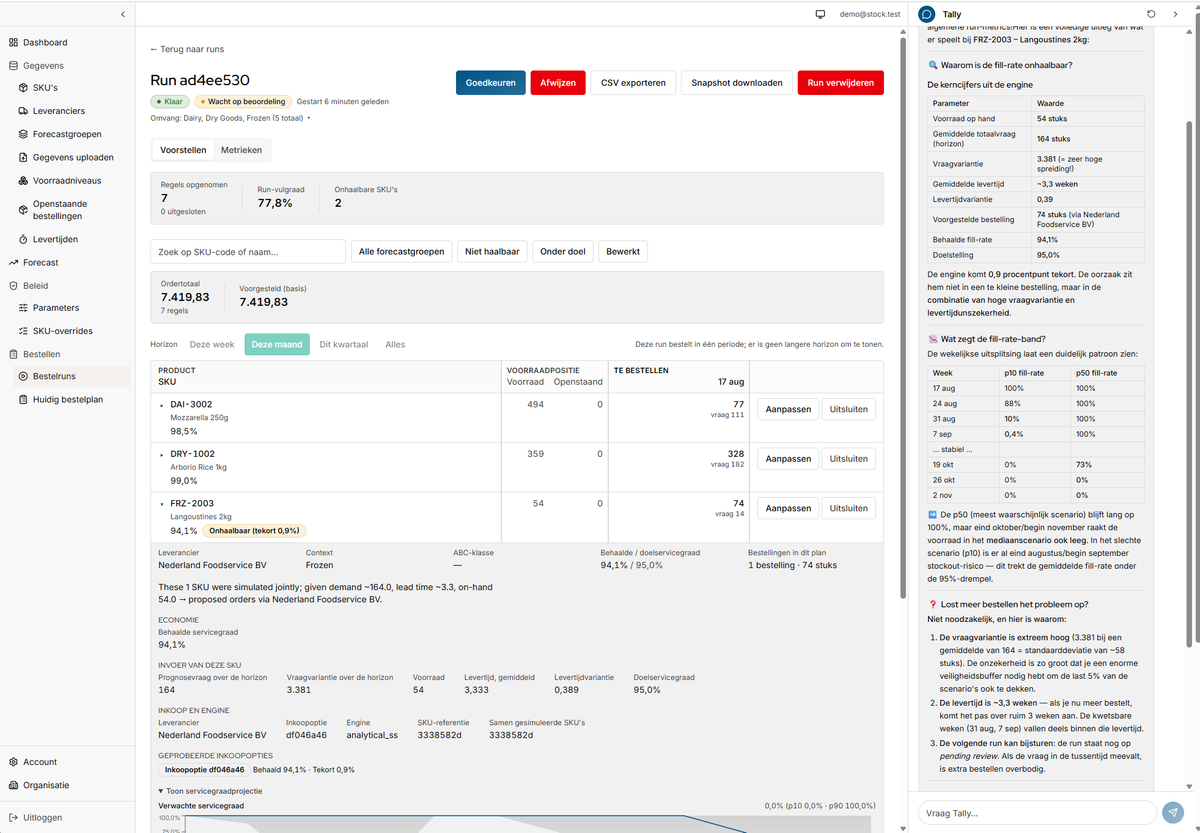
Always traceable
Every run stores the settings, parameters and manual changes that were used. So a plan from three months ago can be reconstructed later exactly as it was, from the data and the choices made at the time.
The reasoning stays visible per order too: the supplier chosen, the demand and lead-time estimates used, the stock and the service target. Only constraints that actually shaped the proposal are listed.
Where the data sits
Stocktimal runs on Microsoft Azure in the EU, in the West Europe region. Every customer has their own tenant, and every record is scoped to the tenant it belongs to, so one customer's data is never readable from another's account. We also sign a data processing agreement.
For organisations that need more detail on tenant separation, access management, secrets or other security measures, we are happy to go through the technical setup further.
Who this is built for
Stocktimal is meant for companies with hundreds to a few thousand SKUs in wholesale, food and beverage, e-commerce, retail or manufacturing. The ERP keeps track of stock, but the actual ordering decision is made somewhere else. And demand moves with seasons, trends and promotions, while lead times vary too much for a single fixed reorder point to work well.
Sound familiar? One conversation is enough to see what Stocktimal would advise on your own numbers.
A free trial run on your own catalogue
One export is enough: sales history, current stock and open orders. We forecast your demand per SKU and show you what Stocktimal would order on that basis — next to what you actually ordered, with the differences explained. You keep the output, even if nothing comes of it. No integration, no access to your ERP and no implementation project. Just one file.